Krokedil Documentation

  • Airmee for WooCommerce
  • Avarda Checkout for WooCommerce
  • Budbee for WooCommerce
  • CargonizerConnect
  • Dintero Checkout for WooCommerce
  • Ingrid Delivery Checkout for WooCommerce
  • Instabox for WooCommerce
  • Klarna for WooCommerce
  • Krokedil general support info
  • Krokedil Shipping Connector
  • Kustom Checkout for WooCommerce
  • Nexi Checkout
  • Partial Delivery for WooCommerce
  • Post Purchase Upsell for WooCommerce
  • ProTeria CloudConnect for WooCommerce
  • Qliro for WooCommerce
  • Specter for WooCommerce
  • Swedbank Pay Payment Menu
  • TrueLayer for WooCommerce
  • Walley Checkout for WooCommerce
  • Zaver Checkout for WooCommerce

Support

Create support ticket (English)

Skapa supportärende (Svenska)

  • Airmee for WooCommerce
  • Avarda Checkout for WooCommerce
  • Budbee for WooCommerce
  • CargonizerConnect
  • Dintero Checkout for WooCommerce
  • Ingrid Delivery Checkout for WooCommerce
  • Instabox for WooCommerce
  • Klarna for WooCommerce
  • Krokedil general support info
  • Krokedil Shipping Connector
  • Kustom Checkout for WooCommerce
  • Nexi Checkout
  • Partial Delivery for WooCommerce
  • Post Purchase Upsell for WooCommerce
  • ProTeria CloudConnect for WooCommerce
  • Qliro for WooCommerce
  • Specter for WooCommerce
  • Swedbank Pay Payment Menu
  • TrueLayer for WooCommerce
  • Walley Checkout for WooCommerce
  • Zaver Checkout for WooCommerce
  • Support
Home » Klarna for WooCommerce » Troubleshooting » Klarna Developer logs
Get started
  • Install and activate
  • Technical info
  • Changelog
  • Support
Setup and configuration
  • Configuration
  • Order management
  • Recurring payments
  • Manually adding an order / Pay for order
  • Sell in multiple currencies
  • Optimizing your checkout when using an Iframe-based checkout
  • Compatible plugins and themes
  • Klarna Express Checkout
  • Sign in with Klarna
  • Klarna On-site Messaging
Customization
  • Actions & filters
  • Change Language Displayed in Klarna Payments
  • Extra Merchant Data (EMD)
Troubleshooting
  • FAQ
  • Error codes
  • Callbacks
  • Known compatibility issues
  • Compatible plugins and themes
  • Files to exclude from optimization
  • Troubleshooting order emails
  • Troubleshooting the checkout flow
  • Troubleshooting the Pay for order/Hosted Payment Page flow
  • Troubleshooting WooCommerce Subscriptions and Klarna
  • Klarna Developer logs
  • Pending payment orders and held stock

Klarna Developer logs

Last modified:

February 20, 2026

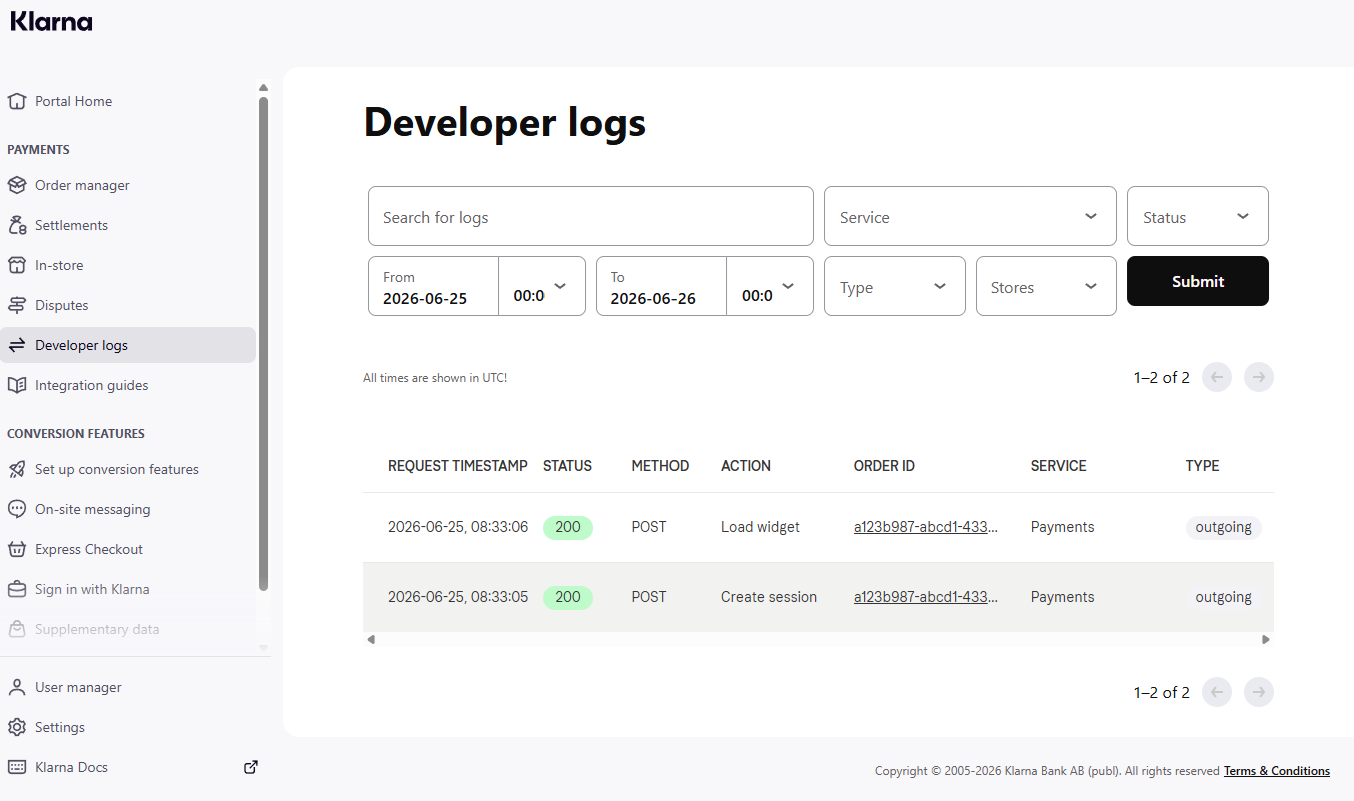
The Klarna Developer logs allows you to inspect the technical communication (API calls) between your back office and Klarna, and vice versa in some cases, for the last 7 days.

Log in to your Klarna Portal and click the Developer logs in the menu. Here you can find all related Klarna logs that’s related to a specific Klarna order id.

For more info regarding the Klarna Developer logs you can read the official Klarna documentation.

Krokedil Documentation

Krokedil makes online business easy by offering a range of plugins that extends WooCommerce and connects your store to different eCommerce tools and providers.

Krokedil

Products

Blog – tips, tricks and news

Partners

Work with Krokedil

Support

Create support ticket
(English)

Skapa supportärende
(Svenska)

© 2025 Krokedil Documentation · Powered by WordPress and Ollie